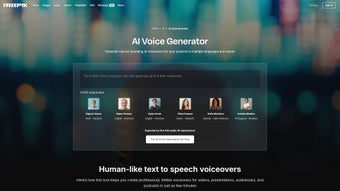

Download Freepik AI Voice Generator – AI voice generation, text‑to‑speech, free trial
Overview: Effortless AI Voice Generation for Web Apps
Freepik AI Voice Generator is a subscription‑based web application that brings high‑quality, natural‑sounding voiceovers to anyone who needs them. Built on cutting‑edge deep‑learning models, the platform converts plain text into lifelike speech in seconds, eliminating the need for expensive studio sessions or professional voice actors. Whether you’re a marketer crafting a product demo, a teacher preparing an e‑learning module, or a podcaster adding narration to a script, the tool’s intuitive interface lets you focus on creativity rather than technical hurdles.
The service supports a broad spectrum of languages and regional accents, making it suitable for global audiences. From English‑US and British English to Spanish, French, German, Mandarin, and many more, each voice option is carefully tuned to capture the subtle intonations that give speech its human feel. Users can also adjust speaking speed, pitch, and volume, ensuring the final audio aligns perfectly with the brand’s tone of voice.
Security and privacy are baked into the platform. All uploaded texts are encrypted in transit, and the generated audio files are stored on secure cloud servers that comply with GDPR and CCPA regulations. The subscription model provides unlimited access to the voice library, regular updates, and priority support, while a free trial lets newcomers test the core features without commitment.
In short, Freepik AI Voice Generator streamlines the voiceover workflow, reduces production costs, and opens the door for creators of any skill level to produce professional‑grade audio. Its blend of accessibility, versatility, and technical excellence makes it a standout choice in the crowded AI‑driven text‑to‑speech market.
Key Features & Benefits
- Multilingual Support: Over 30 languages and 100+ regional accents, enabling truly global projects.
- Natural‑Sounding Voices: Deep‑neural networks trained on thousands of hours of human speech deliver lifelike intonation and emotion.
- Customizable Parameters: Adjust speed, pitch, volume, and add breathing pauses for a personalized audio style.
- One‑Click Export: Download generated files in MP3, WAV, or OGG formats instantly, ready for integration into any media workflow.
- Batch Processing: Upload CSV or JSON scripts to generate multiple voiceovers in a single operation, saving time on large campaigns.
- Secure Cloud Storage: Encrypted data handling and GDPR‑compliant servers protect sensitive content.
- API Access: Developers can integrate the voice engine directly into web apps, mobile apps, or automation pipelines via RESTful endpoints.
- Regular Updates: New voices, language packs, and performance improvements are rolled out monthly without extra cost.
- Free Trial & Flexible Plans: Test the platform for 7 days, then choose between monthly or annual subscriptions based on usage needs.
- Dedicated Support: Priority email and live‑chat assistance for subscribers, plus an extensive knowledge base.
Each feature is designed to remove friction from the voice production pipeline. For example, the batch processing capability is especially valuable for advertisers who need dozens of localized ads quickly. Meanwhile, the API enables SaaS platforms to embed AI narration directly into user dashboards, turning a static product into an interactive experience. The combination of multilingual reach and fine‑grained voice control means you can maintain brand consistency across markets while still resonating with local listeners.
Beyond the technical merits, the platform’s user‑centric design reduces the learning curve dramatically. New users can generate a voiceover in under a minute: paste text, pick a voice, hit “Generate,” and download. This speed‑to‑value is a decisive advantage for tight production schedules, such as live webinars or rapid‑turnaround social media content.
Installation, Usage Instructions & Compatibility
Because Freepik AI Voice Generator is a cloud‑based web application, there is no traditional software download or installation required on your local machine. All you need is a modern browser (Chrome, Firefox, Edge, or Safari) and an internet connection. Follow these steps to get started:
- Create an Account: Visit the official Freepik AI Voice Generator landing page, click “Sign Up,” and provide your email address or use a Google/Social login. Verify your email to activate the account.
- Select a Subscription: Choose between the free trial, monthly, or annual plan. The free trial grants 5,000 characters of voice generation per day, enough to explore all core features.
- Access the Dashboard: After logging in, you’ll be taken to the main dashboard where you can paste text, select a language, and pick a voice from the library.
- Configure Settings: Use the sliders to adjust speaking speed (0.5x–2x), pitch (low‑medium‑high), and volume. For more advanced control, enable “Emotion Mode” to add subtle emphasis on key phrases.
- Generate Audio: Click “Generate.” The AI processes the request in the cloud, typically returning the audio within 2–5 seconds depending on length.
- Export & Integrate: Choose your preferred format (MP3, WAV, OGG) and download. If you’re using the API, copy the generated endpoint URL and embed it in your application code.
Operating System Compatibility (itemprop="operatingSystem"): Since the service runs entirely in the browser, it works on Windows 10/11, macOS Ventura and later, Linux distributions with a supported browser, as well as mobile platforms such as Android 9+ and iOS 13+. The API can be called from any server environment (Node.js, Python, PHP, etc.), making it platform‑agnostic.
For developers who prefer a desktop‑style experience, Freepik also offers a lightweight Electron wrapper that can be downloaded for Windows, macOS, and Linux. This wrapper simply launches a dedicated browser window with offline caching for faster load times, but the core processing still occurs on Freepik’s secure servers.
When using the API, authentication is handled via an API key generated in the user’s account settings. All requests must include the Authorization: Bearer header. Example cURL command:
curl -X POST https://api.freepik.com/v1/voice \
     -H "Authorization: Bearer YOUR_API_KEY" \
     -H "Content-Type: application/json" \
     -d '{"text":"Welcome to our platform!","language":"en-US","voice":"Emma","speed":1.0}'
By keeping the heavy lifting in the cloud, Freepik AI Voice Generator ensures consistent performance across devices, eliminates the need for powerful local hardware, and guarantees that you always have access to the latest voice models.
Pros, Cons & Frequently Asked Questions
Pros
- Extensive multilingual library with authentic regional accents.
- Highly natural-sounding AI voices that rival human narrators.
- No installation required; works on any modern browser or via API.
- Customizable speech parameters for fine‑tuned output.
- Secure, GDPR‑compliant data handling.
- Batch processing and API integration boost productivity.
- Regular updates add new voices and language support at no extra cost.
- Free trial allows risk‑free evaluation.
Cons
- Subscription cost may be high for occasional hobbyists.
- Internet connection is mandatory; offline usage is limited to the Electron wrapper with caching.
- Advanced emotion controls are only available on higher‑tier plans.
- Maximum characters per request are capped at 5,000, which may require splitting longer scripts.
FAQ (itemprop="review")
Can I use the generated audio for commercial projects?
Yes. All subscription plans include a commercial‑use license, allowing you to incorporate the audio into ads, videos, e‑learning courses, and other revenue‑generating content.
Is there a limit to how many voices I can use?
The free trial provides access to a core set of 10 voices. Paid plans unlock the full library, which currently includes over 150 distinct voice profiles.
How secure is my uploaded text?
All data is transmitted over TLS 1.3 encryption, stored temporarily for processing, and deleted from servers within 24 hours unless you opt to keep the files in your personal cloud vault.
Can I integrate the service with my existing CMS?
Absolutely. The RESTful API can be called from WordPress, Drupal, or any custom CMS. Freepik also provides a WordPress plugin that adds a “Generate Voiceover” block to the editor.
What happens after the free trial ends?
Your account will be downgraded to a read‑only mode. You can still access previously generated files, but new voice generation requires selecting a paid subscription.
Conclusion & Call to Action
Freepik AI Voice Generator stands out as a powerful, user‑friendly solution for anyone who needs high‑quality, multilingual voiceovers without the hassle of traditional recording studios. Its deep‑learning voices deliver a level of realism that is difficult to achieve with older text‑to‑speech engines, and the web‑based delivery model guarantees that you can work from any device—whether you’re on a Windows laptop, a MacBook, or a mobile phone.
The platform’s strengths lie in its extensive language coverage, customizable speech parameters, and robust API that empowers developers to embed AI narration directly into their products. While the subscription cost may be a consideration for occasional users, the free trial provides ample opportunity to assess whether the value aligns with your workflow.
If you’re ready to accelerate your content creation, improve accessibility, or simply add a professional voice to your next presentation, click the button below to start your free trial. Experience the convenience of instant, natural‑sounding audio and see how Freepik AI Voice Generator can transform the way you communicate.



.png)



